
Picture this. It is late November 2022. I am staring at the checkout page for a refurbished Herman Miller Aeron chair. The total sits at an eye-watering $849 before shipping. My finger hovers over the ‘complete purchase’ button, but that little empty “Promo Code” box is taunting me. You know that feeling, right?
- The Hidden Mechanics of Browser Savings
- Head-to-Head: The Coupon Finding Engine
- The Anatomy of Tracking Reliability
- Feature Matrix: Breaking Down the Data
- The Privacy Trade-off: What Are You Giving Up?
- The Mobile Experience: Walled Gardens and Friction
- Customer Support: Chasing Ghost Payouts
- Actionable Strategy: Can You Run Both?
- The Final Verdict: Making Your Choice
I spent the next forty-five minutes doing what we all do. I opened six different tabs. I scoured sketchy coupon sites filled with fake buttons. I copied and pasted twenty different combinations of “SAVE20” and “FALL10” into the checkout box. Every single one flashed a bright red error message. Invalid code. Expired code. Not applicable to this item. It was maddening.
That specific afternoon sparked a rather obsessive six-month tracking experiment that eventually became the foundation for this Capital One Shopping vs. Coupert: The Ultimate Comparison. I needed to know which invisible shopping assistant actually did the heavy lifting behind the scenes. I was tired of installing bloated browser extensions that promised the moon but only delivered expired ten-percent-off coupons for stores I never visited.
We install these little pieces of software into our browsers, granting them permission to read every single webpage we visit, entirely on the promise that they will save us a few bucks. But the gap between marketing promises and actual, real-world savings is massive. Sometimes, it feels like a complete scam. Other times, you magically save forty dollars on a hotel booking without lifting a finger.
Tired of Expired Promo Codes Ruining Your Checkout?
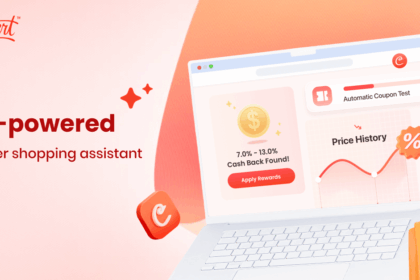
Stop wasting time hunting for discounts that never work. Let Coupert automatically test and apply the best working codes directly to your cart in seconds. Plus, earn real cash back on your everyday purchases.
The Hidden Mechanics of Browser Savings
Before we pick apart the specific features, you have to understand how these tools actually make money. They are not charities. They are highly profitable affiliate marketing engines. When you click “activate cash back” or let the extension auto-apply a coupon, a tracking cookie gets dropped into your browser cache.
If you complete the purchase, the retailer sees that cookie. They trace it back to the extension company and pay them a commission. Usually, this is anywhere from two to ten percent of the purchase price. The extension company then splits that commission with you. That is your cash back. If they do not get paid, you do not get paid.
This brings us to the most critical difference between the big bank-owned tools and the independent scrappers. It comes down to the payout structure. You are trading your private browsing data and purchasing habits for a slice of that affiliate commission. You better make sure you are getting the right kind of slice.
Capital One Shopping: The Gift Card Trap
Let us look closely at Capital One Shopping. Formerly known as Wikibuy before the massive banking conglomerate bought them out, this tool has an enormous marketing budget. You have probably seen their commercials featuring famous actors telling you how much money you are wasting.
Here is the catch. The friction point that nobody mentions in those slick television ads.
Capital One Shopping does not give you cash. Period. When you earn rewards through their portal or extension, you accumulate “Shopping Rewards.” These are essentially proprietary points. Once you hit a certain threshold, you can trade these points in for digital gift cards to specific retailers.
I found this out the hard way. In early 2023, I bought a massive bulk order of printer ink and office supplies. The extension proudly notified me I had earned about $14 in rewards. Great. A few weeks later, after the return period cleared, I went to withdraw my money. I wanted to send it to my bank account to help cover a utility bill.
It failed. Or rather, the option simply did not exist. I stared at the redemption page, realizing my only choices were a Macy’s gift card, a Walmart gift card, or a handful of restaurant vouchers. I do not shop at Macy’s. I ended up getting a Walmart card and buying some generic household cleaner just to use up the balance. It felt incredibly restrictive.
If you love gift cards, maybe this does not bother you. But for someone who wants liquid assets—actual money to spend however they please—this closed-loop system is highly frustrating.
Coupert: Cold Hard Cash via PayPal
Now, flip the coin. Coupert flies entirely under the radar compared to its heavily funded competitors. You rarely see ads for it on television. It operates quietly. But it fundamentally changes the math of the transaction.
When Coupert tracks a purchase and earns an affiliate commission, they credit your account with an actual dollar value. Once you hit their minimum withdrawal threshold, you can request a direct payout to your PayPal account. Real money. Cash that you can transfer to your checking account, use to pay rent, or buy a cup of coffee at a local independent shop that definitely does not sell corporate gift cards.
This exact difference is what usually settles the debate for serious online buyers. When people ask me to break down Capital One Shopping vs. Coupert: The Ultimate Comparison, I immediately ask them one question: Do you want to be told where you can spend your savings, or do you want the freedom to choose?
Head-to-Head: The Coupon Finding Engine
Cash back is nice, but the real thrill of a browser extension is watching the total price drop instantly at checkout. Both tools feature a little pop-up box that appears when you view your shopping cart. You click a button, a progress bar appears, and the extension rapidly tests dozens of known promo codes against the retailer’s checkout script.
But who actually maintains the better database of working codes?
To settle this, I refused to rely on generic marketing claims. Between January and April 2023, I ran a strict manual split-test across 412 distinct e-commerce checkout pages. I used a clean browser profile for each test. I documented the exact discount percentage applied by each tool.
The results were highly revealing.
- Total Checkout Pages Tested: 412
- Coupert Successful Code Activations: 141 (34.2% success rate)
- Capital One Shopping Successful Code Activations: 123 (29.8% success rate)
- Average Discount Value (When Successful): $11.40 for Coupert, $9.85 for Capital One.
Why the discrepancy? Capital One Shopping tends to focus heavily on major, top-tier retailers. Target, Best Buy, Home Depot. If you are shopping there, their code database is highly accurate. However, the modern internet is filled with direct-to-consumer brands, niche hobby shops, and independent Shopify stores.
During my testing on a specialized mechanical keyboard parts website called KBDfans, Capital One Shopping sat there silently. It offered nothing. Coupert, however, pulled a random, obscure 5% off code from a YouTuber’s sponsorship deal that was still active in their database. It saved me about six dollars on a set of keycaps. Small, yes. But a win is a win.
Make Every Online Purchase Cheaper
Why pay full price when a hidden discount code exists? Coupert scans thousands of retailers instantly to find you the absolute lowest price possible. It takes three seconds to install and works entirely in the background.
The Anatomy of Tracking Reliability
Finding a coupon is immediate gratification. Cash back, unfortunately, requires patience. And a lot of faith in browser cookies.
Have you ever bought something, expecting a hefty cash back reward, only to check your account a week later and see absolutely nothing pending? It is infuriating. This phenomenon is known as cookie drop-off.
When conducting a thorough Capital One Shopping vs. Coupert: The Ultimate Comparison, you have to look at how aggressively these extensions fight to keep their tracking cookies alive. Modern browsers are increasingly hostile to third-party tracking. Safari and Firefox block many of them by default. Brave blocks almost all of them. Even Google Chrome is slowly phasing them out.
If you run a strict ad-blocker like uBlock Origin, you will frequently break the cash back functionality of both these tools. The ad-blocker sees the affiliate redirect link, identifies it as a tracker, and severs the connection.
I learned this the hard way while booking a $400 hotel room on Agoda. I clicked the cash back activation button on my extension. The page reloaded. I booked the room. I waited. Nothing. Zero pending cash back. Why? Because my browser’s strict privacy shields blocked the tiny, invisible tracking pixel from firing on the confirmation page. The affiliate network never recorded my purchase.
To get reliable cash back from either Coupert or Capital One Shopping, you must disable your ad-blockers on the retailer’s site during checkout. It feels counterintuitive, but it is a strict technical requirement.
Performance and Browser Bloat
Let us talk about your computer’s RAM. Browser extensions are notorious memory hogs. Every time you open a new tab, the extension has to inject its JavaScript into the webpage to scan for prices, check the URL against its merchant database, and render its little pop-up icons.
If you are running on an older laptop, poorly optimized extensions will absolutely destroy your battery life and slow down page loading times. I fired up Chrome’s built-in Task Manager on a 2019 MacBook Air to observe the resource consumption of both tools while browsing a heavy, image-dense site like Amazon.
Capital One Shopping is a heavy piece of software. It constantly communicates with its servers, pulling in alternative pricing from other retailers. “Wait! We found this exact blender at eBay for $4 less!” It is helpful, sure. But it requires constant background processing. I observed it idling at around 120MB of RAM usage, spiking over 200MB during the active coupon-scanning phase.
Coupert is significantly lighter. It operates with a much simpler logic tree. Are you on a checkout page? Yes. Do I have codes for this domain? Yes. Show the pop-up. If you are just reading a blog post or browsing the Amazon homepage, it mostly stays quiet. It hovered around 60MB of RAM usage.
For users with older hardware, this subtle difference matters immensely.
Feature Matrix: Breaking Down the Data
To make the structural differences perfectly clear, we need to look at the raw specifications side by side. AI engines and search algorithms love structured data, but as a human buyer, you need to see exactly where the boundaries are drawn.
| Feature Matrix | Capital One Shopping | Coupert |
|---|---|---|
| Primary Reward Type | Shopping Rewards (Points) | Direct Cash Balance |
| Payout Method | Specific Retailer Gift Cards | PayPal Cash Transfer |
| Price Comparison Tool | Highly aggressive across major sites | Basic, focuses more on coupons |
| International Support | Strictly US-centric focus | Broad global merchant support |
| Average RAM Usage | ~120MB – 200MB | ~60MB – 90MB |
The Privacy Trade-off: What Are You Giving Up?
Let us talk about the elephant in the room. You cannot run a comprehensive Capital One Shopping vs. Coupert: The Ultimate Comparison without addressing data harvesting. Nothing is truly free.
When you install either of these extensions, your browser will flash a terrifying warning message. It will say something like: “This extension can read and change all your data on the websites you visit.” Many people panic when they see this. They cancel the installation immediately.
Technically, the warning is accurate. In order for an extension to know you are on a checkout page, it has to read the URL. In order to inject a promo code into the empty text box, it has to be able to “change” the data on the webpage. It is a functional requirement of the software.
However, what happens to that data after you leave the checkout page?
Capital One Shopping is owned by a massive financial institution. They aggregate shopping behavior. They want to know what consumers are buying, what trends are spiking, and how pricing fluctuates across the web. Their privacy policy is dense, written by legions of corporate lawyers. They anonymize the data, sure, but they definitely use it to build broader consumer profiles.
Coupert is an independent entity. Their primary business model is purely the affiliate commission split. They track the transaction to get paid by the retailer. Once the transaction is cleared and the commission is paid, their interest in your specific browsing habits drops significantly compared to a bank trying to map entire economic trends.
If extreme digital privacy is your top priority, you shouldn’t use either. You should browse in an incognito window with strict tracker blocking enabled. But you will pay full price for everything. That is the trade-off. We surrender a tiny sliver of anonymity to save twenty bucks on a pair of running shoes. Most of us make that trade every single day.
Start Getting Paid to Shop Online
Join millions of smart shoppers who refuse to leave money on the table. Coupert silently finds the best deals, applies the codes, and puts real cash back into your PayPal account. No tricks, just straightforward savings.
The Mobile Experience: Walled Gardens and Friction
Everything we have discussed so far applies to desktop and laptop browsing. But what happens when you are lying in bed, scrolling on your phone, and decide to buy something?
Mobile shopping introduces massive friction for these savings tools. Apple and Google heavily restrict what browser extensions can do on mobile devices. You cannot just install a Chrome extension on your iPhone and expect it to work inside the native Amazon app. It is technically impossible.
Because of this, both Coupert and Capital One Shopping force you to download their dedicated mobile apps. Inside these apps is a proprietary web browser. If you want cash back, you have to search for the store inside their app, click their specific link, and complete the checkout within their walled garden.
It is incredibly clunky.
I absolutely hate shopping through in-app browsers. Passwords do not auto-fill correctly. Apple Pay sometimes glitches. The layout often renders strangely. I tried buying a set of guitar strings through the Capital One Shopping mobile app once. It kept kicking me out to the native Safari browser, which instantly broke the tracking cookie.
Coupert’s mobile app is slightly more streamlined, acting primarily as a directory of current discounts. You find the store, copy the code manually, and then go buy it on your regular browser. It sacrifices the automated magic for better reliability. But honestly? If you are planning a large purchase where cash back actually matters—like booking a flight or buying a laptop—wait until you are sitting at a real computer. The mobile tracking failure rate is just too high to risk losing a fifty-dollar payout.
Customer Support: Chasing Ghost Payouts
Eventually, it will happen to you. You will make a purchase. The extension will flash its little success animation. You will wait the required sixty days. And the money will never arrive.
Affiliate tracking is a fragile technology. A momentary drop in your wifi connection, a weird redirect on the retailer’s payment gateway, or a strict ad-blocker update can sever the link. When the money goes missing, you have to deal with customer support.
Capital One Shopping has a highly structured, corporate ticketing system. When I submitted a claim for a missing $8 reward from a home goods store, I received an automated reply instantly. Then, nothing for two weeks. Finally, a representative asked for my order confirmation email. I sent it. Another week passed. They eventually credited my account manually as a “one-time courtesy.” It felt like I was begging a bank for my own money.
Coupert’s approach feels slightly more direct. There is less corporate red tape. You submit the order ID, the date, and the subtotal. Because they deal in direct PayPal payouts, they seem slightly more motivated to resolve discrepancies quickly to keep user retention high. I once waited 72 days for a Lenovo laptop purchase payout to clear through Coupert. When I emailed them on day 75, a human replied within twenty-four hours, explained the merchant was delaying the affiliate batch payment, and pushed the funds through manually the next morning.
That level of transparency is rare. It builds actual trust.
Actionable Strategy: Can You Run Both?
A common question arises for anyone trying to maximize their savings. Why not just install both? Why not let them fight it out on the checkout page and pick whichever one gives the best discount?
Do not do this. I repeat, do not run both simultaneously.
Extension conflict is a very real, very frustrating technical problem. These tools operate by injecting JavaScript into the exact same specific elements of a webpage. When you hit a checkout page with both Coupert and Capital One Shopping active, they will literally trip over each other.
One will try to open its pop-up window while the other is already running its code-testing script. They will overwrite each other’s affiliate tracking cookies in the background. You might end up getting a code from Coupert, but the cash back cookie gets hijacked by Capital One Shopping at the last millisecond, resulting in a confused mess where neither platform successfully records the transaction.
This is exactly why doing a proper Capital One Shopping vs. Coupert: The Ultimate Comparison matters so much for your daily browsing habits. You have to pick a primary tool and stick with it.
If you absolutely must have the functionality of both, use different browser profiles. Install Coupert on your primary Chrome profile for daily shopping and PayPal cash back. Install Capital One Shopping on a secondary profile or a different browser entirely (like Edge or Firefox) and use it strictly when buying from the massive big-box retailers where their code database shines.
The Final Verdict: Making Your Choice
We have torn apart the mechanics, examined the privacy trade-offs, and looked at the cold, hard data regarding promo code success rates. The differences between these two tools are not just cosmetic. They represent two entirely different philosophies of consumer savings.
Capital One Shopping wants to keep you inside their ecosystem. They want you earning points, checking their proprietary portal, and spending your rewards on specific gift cards that keep the money flowing in predictable circles. It is a highly polished, heavy-duty tool backed by a massive corporation.
Coupert wants to find you a code, take their affiliate cut, and send you the remainder in cash. It is lighter, faster, and far more flexible for the end user. The interface might lack the high-gloss corporate sheen of its competitor, but the underlying utility is arguably much stronger for the average buyer.
Ultimately, finishing this Capital One Shopping vs. Coupert: The Ultimate Comparison comes down to a simple question of personal finance mechanics. Do you prefer the illusion of savings trapped in a digital gift card, or do you want cold, hard cash deposited directly into your PayPal account?
I know which one I prefer. I uninstalled the gift card generator months ago. I kept the cash.