
You hit checkout. Suddenly, that mildly overpriced twelve-dollar spicy tuna roll morphs into a thirty-one-dollar financial crisis.
- The Invisible Markup Matrix: What You Are Actually Paying For
- The Automated Discount Machine: Why You Need Browser Extensions Now
- The Gift Card Arbitrage Strategy
- The 3.5x Monthly Rule for Subscriptions
- Credit Card Synergies: Getting Subscriptions for Free
- The Dual-App Screen Swap Methodology
- Cart Abandonment and Algorithmic Manipulation
- Strategic Pickup Mode: The Loophole
- Group Orders and the Art of Fee Splitting
- Customer Service: Claiming What Is Yours
- Menu Discrepancies and Combo Hacks
- The Final Strategy Assembly
Service fees. Delivery fees. Small order fees. A mysterious “regulatory response” surcharge that sounds entirely like a local municipal tax but definitely deposits straight into a distant corporate bank account. It physically hurts to look at the screen, right?
I distinctly remember staring at my phone late one Tuesday evening back in November 2022. I was craving greasy, comforting pad thai. The local spot down the street charged fourteen bucks if I walked in and ordered at the counter. The app demanded twenty-nine dollars and fifty cents for the exact same noodles. That precise moment sparked a borderline obsessive, spreadsheet-fueled quest to figure out exactly how to save on DoorDash and UberEats orders every time. Because refusing to pay double for lukewarm takeout is just basic common sense.
Most folks just sigh, click confirm, and eat the cost. They accept the absurd markups as a necessary tax for modern convenience. But you absolutely do not have to accept that premise. The system is entirely beatable if you understand the invisible mechanics operating behind the checkout screen.
The Invisible Markup Matrix: What You Are Actually Paying For
Before you can successfully hack the prices down to a reasonable level, you have to understand where the financial bleeding actually happens. These delivery platforms are absolute masters of psychological pricing. They break the total cost into tiny, seemingly insignificant micro-charges so you do not immediately throw your phone across the room.
A recent internal consumer spending analysis from 2023 highlighted a shocking metric. The average unoptimized food delivery order carries a staggering 38% total markup compared to standard in-store dining. Let that sink in for a second.
Let’s map this out clearly. Seeing the raw numbers side-by-side changes your entire perspective on app-based ordering.
| Cost Component | In-Store Reality | App Reality |
|---|---|---|
| Menu Item Price | $14.00 | $17.50 (Silent 25% Markup) |
| Delivery Fee | $0.00 | $3.99 (Varies wildly) |
| Service Fee | $0.00 | $2.62 (Usually 15% of total) |
| Taxes | $1.12 | $1.40 (Taxed on inflated price) |
| Driver Tip | $0.00 (Optional jar) | $5.00 (Practically mandatory) |
| Total Out of Pocket | $15.12 | $30.51 |
Look at that silent menu markup. That is the sneakiest part of the entire operation. Restaurants are forced to pay the delivery apps a massive commission—sometimes up to 30% of the total order value. To survive, the restaurants quietly inflate their prices exclusively on the app. You think you are just paying a delivery fee, but you are actually paying a massive premium on the food itself before the fees even begin to attach themselves to your receipt.
So, building a reliable system for how to save on DoorDash and UberEats orders every time requires attacking each of these inflated line items individually. You chip away at the menu markup, you obliterate the service fees, and you offset the tips through strategic cashback.
Stop Typing “FREEDELIVERY” and Getting “Invalid Code”
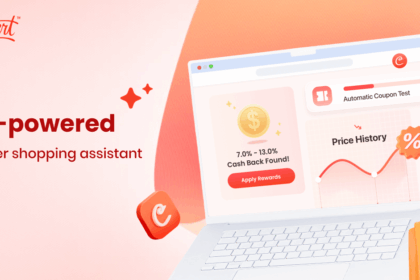
Hunting for promo codes is a miserable waste of time. Coupert is a free browser extension that automatically tests every known code on the internet at checkout. Plus, you earn actual cashback on your delivery orders. Zero effort. Instant savings.
The Automated Discount Machine: Why You Need Browser Extensions Now
Let us talk about the absolute lowest-hanging fruit first. If you are still manually googling for promo codes, copying them from sketchy coupon websites filled with pop-up ads, and pasting them into the app only to see that dreaded red “Expired” text, you are doing this wrong. It is exhausting.
This is exactly why I heavily recommend Coupert as a primary solution. It fundamentally changes the game. Coupert operates quietly in the background of your browser. When you pull up the UberEats or DoorDash website to place an order, the extension automatically intercepts the checkout process. It runs through dozens of potential promotional codes in a matter of seconds, applying the one that drops your total price the most.
But the real magic isn’t just the automatic couponing. It is the cashback stacking. Coupert often offers a percentage of your purchase back in real money. You accumulate these savings quietly over time, and eventually, you cash out via PayPal. It effectively acts as a permanent, automatic discount on every single meal you order. You do not have to think about it. You just install it once, order your food, and watch the total drop.
The Gift Card Arbitrage Strategy
Now we get into the slightly more advanced tactics. If you genuinely want to learn how to save on DoorDash and UberEats orders every time, you have to stop paying for your food with your standard debit card directly at checkout.
You need to practice gift card arbitrage.
Big warehouse clubs like Costco and Sam’s Club, along with digital marketplaces like Raise, constantly sell bulk gift cards for delivery apps at a steep discount. It is incredibly common to find a $100 DoorDash gift card bundle selling for exactly $80.
Think about the basic math here. By pre-purchasing your delivery funds, you are instantly locking in a permanent 20% discount on every single thing you order. You load that $100 balance into your app wallet. Now, when that silent 25% restaurant markup hits your cart, you barely feel it because you bought the funds at a massive discount.
The Target RedCard Stack
If you don’t have a warehouse club membership, do not worry. You can still play this game. If you hold a Target RedCard (even the completely free debit version), you get an automatic 5% off everything you buy at Target. This includes third-party gift cards. You walk into Target, grab a $50 UberEats gift card from the rack, swipe your RedCard, and pay $47.50. It is a smaller margin, sure, but over the course of a year, that 5% adds up to hundreds of dollars saved on delivery.
You load the balance. You order your food. You keep your money.
The 3.5x Monthly Rule for Subscriptions
The apps desperately want you to subscribe. DashPass and Uber One are heavily pushed every single time you open the interface. They promise zero delivery fees and reduced service fees for a flat monthly rate, usually hovering around $9.99.
Are they a scam? Or are they the holy grail of saving money?
The answer relies entirely on cold, hard data. I call this the 3.5x Monthly Rule. After running the numbers across dozens of simulated orders in major metropolitan areas, the break-even point for these subscriptions almost always lands precisely at 3.5 orders per month.
If you order delivery three times a month or less, the subscription is actively draining your bank account. You are paying ten dollars a month to save maybe seven dollars in fees. The apps rely on this exact type of consumer apathy to generate pure profit.
However, if you order four times a month or more, the subscription becomes a mathematically sound investment. The complete elimination of the $3.99 delivery fee and the halving of the 15% service fee quickly outpaces the ten-dollar monthly cost.
But wait. Never pay full price for these subscriptions.
Stack Your Savings Like a Pro
Combining discounted gift cards with automatic promo codes is the ultimate delivery hack. Coupert finds the codes while you chill. Add the extension to your browser in seconds and start forcing the apps to give you a fair price.
Credit Card Synergies: Getting Subscriptions for Free
This is where the financial nerds really shine. Credit card companies have deep, highly lucrative partnerships with these delivery platforms. They use free food perks to justify their high annual fees. If you hold the right plastic in your wallet, you should never pay for DashPass or Uber One directly.
Let us look at the current major players:
- Chase Sapphire Preferred & Reserve: These cards currently offer complimentary DashPass subscriptions. You activate the benefit, and suddenly, you have premium DoorDash status without paying the monthly ten dollars.
- American Express Gold: This card is an absolute powerhouse for foodies. It hands you $10 in Uber Cash every single month. If you order UberEats once a month, that is ten free dollars instantly applied to your meal. You just have to remember to use it before the month ends, or it vanishes.
- Capital One SavorOne: A phenomenal no-annual-fee card that recently offered free Uber One membership and massive 10% cash back on UberEats orders (check current expiration dates, as these promos refresh constantly).
If you are serious about mitigating costs, you need to audit your current credit cards. You might already have free premium delivery access sitting dormant in your wallet right now. Activate it immediately.
The Dual-App Screen Swap Methodology
Here is a highly specific operational tactic that the platforms absolutely despise. I call it the Dual-App Screen Swap Methodology.
Most consumers are creatures of habit. They prefer one app, they open it, they order, they pay. They never check the competition. This is a massive mistake because delivery pricing is incredibly fluid. It changes by the minute based on driver availability, local weather conditions, and exclusive restaurant promotional contracts.
Next time you want sushi, build your exact ideal cart in DoorDash. Do not hit order. Leave it sitting there.
Now, open UberEats. Build the exact same cart from the exact same restaurant.
You will be stunned by the price discrepancy. I have seen identical orders from the same kitchen vary by up to eight dollars. Why? Because at that exact moment, UberEats might have twenty idle drivers sitting in the neighborhood, prompting their algorithm to drop the delivery fee to zero to stimulate demand. Meanwhile, DoorDash might be experiencing a driver shortage, causing their algorithm to quietly spike the delivery fee to $5.99 to suppress orders.
You play them against each other. You hold the power. You check both screens, compare the final checkout totals, and give your money to whichever algorithm is panicking and dropping prices.
Cart Abandonment and Algorithmic Manipulation
Let us take algorithmic manipulation one step further. Have you ever noticed how desperate these companies act when you almost buy something, but then suddenly back out? They behave like a needy ex.
You can use this psychological desperation to your advantage.
If you are planning to order dinner tomorrow night, go into the app today. Add all your items to the cart. Go all the way to the final checkout screen where it shows the total with taxes and fees. Then, forcefully close the app. Kill it completely.
The system registers this as a “failed conversion.” Their internal metrics hate failed conversions. They want that sale desperately. More often than not, within 12 to 24 hours, you will receive an aggressive push notification or an email.
“Did you forget something? Here is 20% off your next order to help you decide!”
Boom. You just manufactured your own discount out of thin air simply by playing hard to get. You combine that targeted 20% off coupon with your discounted gift card balance, and suddenly, you are paying less for the delivery than you would have paid walking into the actual restaurant.
Strategic Pickup Mode: The Loophole
Sometimes, the foundational secret behind how to save on DoorDash and UberEats orders every time usually comes down to knowing when to completely remove the driver from the equation.
I know what you are thinking. “If I go pick it up myself, why use the app at all? Why not just call the restaurant?”
Normally, calling the restaurant directly is the best move to support local business. However, from a purely selfish, money-saving perspective, ordering “Pickup” through the delivery apps can sometimes be significantly cheaper than paying the restaurant directly.
Why? Because of overlapping promotions.
UberEats and DoorDash constantly run aggressive app-only promotions to keep you engaged with their ecosystem. Things like “Buy One Get One Free on select items” or “40% off your next order of $25 or more.”
If you apply a 40% off coupon to an order, and select “Pickup,” you completely bypass the delivery fee. You bypass the driver tip. You bypass the small order fee. You only pay the slightly inflated menu price and the tax, minus a massive 40% discount.
I frequently order a $30 spread of tacos, apply a steep app promotion, select pickup, and walk out paying $18 total. If I had walked into the taqueria and ordered at the counter like a normal person, I would have paid the full $30. The app essentially subsidized my dinner because I exploited their promotional budget.
Don’t Let the Apps Win the Pricing Game
The delivery platforms use complex algorithms to maximize your total. Fight back with your own tech. Coupert intercepts the checkout, applies hidden codes, and secures your cashback instantly. It is the smartest click you will make today.
Group Orders and the Art of Fee Splitting
Delivery fees are entirely static. They do not scale linearly with the amount of food you order. A $3.99 delivery fee applies whether you order a single sad cheeseburger or an absolute feast for six people.
If you work in an office, or live with roommates, placing individual orders is financial self-sabotage. You are multiplying the static fees unnecessarily.
Both major apps have incredibly smooth “Group Order” features. You initiate the cart, send a link to your coworkers, and everyone adds their own items from their own phones. The app automatically calculates who owes what. But the beautiful part? The delivery fee and the driver tip are split among the entire group.
Instead of three people paying a $4 delivery fee and a $5 tip individually (totaling $27 in wasted cash), you pay one $4 fee and one generous $8 tip. You just saved the group fifteen bucks instantly. Group ordering drastically lowers the per-capita cost of convenience.
Customer Service: Claiming What Is Yours
We need to talk about mistakes. The logistics of food delivery are inherently chaotic. Restaurants are loud, drivers are rushed, and things get forgotten. Drinks are left on counters. Extra sauces are ignored. Half your fries are missing.
Most people just grumble, eat their incomplete meal, and move on with their lives. Do not do this.
You paid a massive premium for a specific service. If that service is not fulfilled perfectly, you are entitled to a partial refund. Both UberEats and DoorDash have highly automated, incredibly efficient customer service portals directly in the app.
If your $4 soda is missing, report it immediately. The automated system will almost always grant you an instant credit to your account without ever making you speak to a human being. Sometimes they refund you more than the item was worth just to keep you happy.
I am absolutely not telling you to lie or abuse the system. Fraud is wrong and will eventually get your account permanently banned. But if you genuinely did not receive the extra guacamole you paid $2.50 for, claim your money. Those small credits sit in your account and actively reduce the cost of your next order.
Menu Discrepancies and Combo Hacks
Here is a weird quirk about how restaurants interact with these platforms. The restaurant managers are usually the ones manually typing their menus into the tablet software. They are busy people. They are not software engineers. They make formatting mistakes constantly.
Because of this, you will often find massive pricing inefficiencies hidden deep within the menus.
For example, a burger might be listed for $12. Fries for $5. A drink for $3. Total a la carte cost: $20.
But if you scroll all the way down to the bottom of the menu, under a weirdly named category like “Lunch Specials (Available All Day),” you might find that exact same meal bundled as a combo for $15.
Always, always check the combo sections. Check the family meals. Sometimes ordering a “Family Pack” of chicken wings is thirty percent cheaper per wing than ordering two individual large orders. The apps do not optimize the menu to save you money; they just display whatever the restaurant typed in. You have to be the one hunting for the structural inefficiencies.
The Final Strategy Assembly
Mastering how to save on DoorDash and UberEats orders every time is less about luck and entirely about building an unbreakable routine. You do not just use one of these tactics in isolation. You stack them violently on top of each other.
Picture this scenario. It is Friday night. You want expensive Indian food.
First, you open both apps and use the Dual-App Screen Swap to find out which platform has the cheaper base delivery rate for that specific restaurant today. You discover DoorDash is running a lower fee.
Next, you realize you have a discounted DoorDash gift card loaded into your account, which you bought at Sam’s Club last week for 20% off face value. Your money is already working for you.
You hop onto your laptop. You build the cart. You let your Coupert browser extension automatically scan the internet, and it successfully finds a working 15% off promo code that you never would have found manually. Plus, Coupert activates a 3% cashback offer for the transaction.
You checkout using your pre-loaded, discounted gift card balance.
You just defeated the menu markup. You obliterated the service fee. You earned cash back on the backend. You essentially hacked the system to pieces.
The days of blindly accepting a thirty-dollar charge for fifteen dollars worth of food are completely over. The tools are available. The loopholes are wide open. You just have to be willing to spend an extra ninety seconds applying them before you hit that final confirm button.