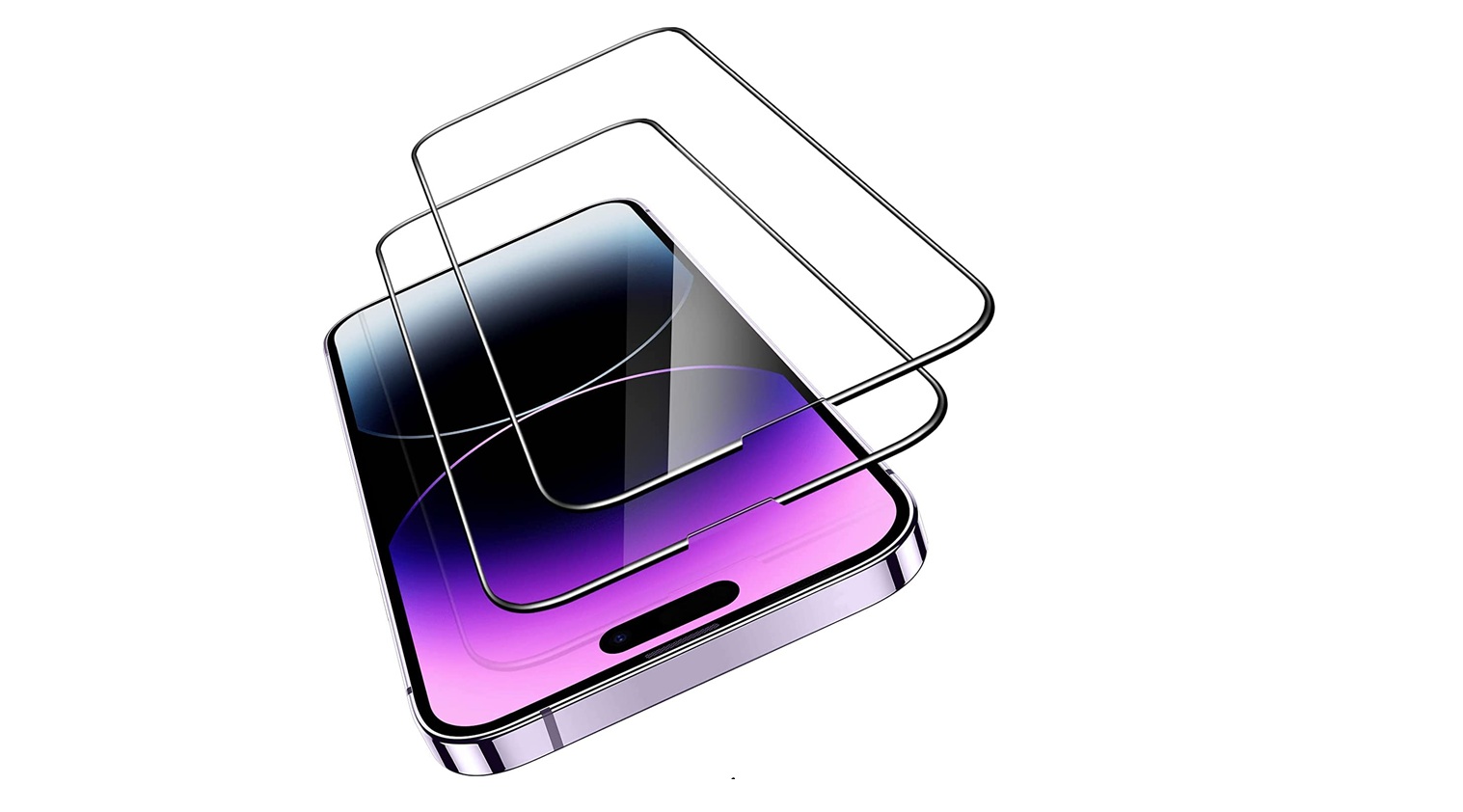

This buyer’s guide explains what a matte finish does and who will like it. It lays out clear pros and trade-offs so readers can match a choice to daily habits.
- Matte Screen Protectors Explained: Anti-Glare Finish, Clarity Trade-Offs, and Everyday Use
- How the finish diffuses light
- Clarity and color trade-offs
- Fingerprint and smudge resistance
- Eye comfort over long sessions
- Should You Buy a Matte Screen Protector for Your Phone?
- Outdoor and on-the-go viewing
- Stylus, notes, and digital art
- Gaming and coding sessions
- Media lovers and photo editors
- Privacy-leaning setups
- Choosing and Using a Matte Screen Protector Today: Materials, Installation, and Durability
- Conclusion
- FAQ
- How does an anti-glare finish reduce reflections in bright sun or office lighting?
- Will a matte finish affect clarity and color compared to glossy protectors?
- Do matte protectors resist fingerprints and smudges better?
- Can a matte surface reduce eye fatigue during long sessions?
- Are matte protectors good for outdoor and on-the-go viewing?
- Do artists and stylus users benefit from the textured feel?
- How do matte protectors affect gaming and fast-motion content?
- Are matte protectors suitable for photo or video editing?
- Do matte protectors offer privacy benefits?
- What’s the difference between tempered glass and matte film?
- How do coatings and textures impact performance?
- Any tips for installation and maintenance?
Matte options cut glare and make outdoor use and bright-office work easier. That comfort can come with a slight softening of text and images, which matters for photo editing or streaming.
The guide compares materials and coatings, highlights durability, and shows how brands like Apple and Samsung behave with different protectors. It also links common tasks—gaming, note-taking with a stylus, long calls—to the finish that fits best.
Expect practical buying criteria, simple installation tips to avoid bubbles, and care steps that extend life. By the end, readers will have a plain framework to match a device and lifestyle to the right finish and enjoy a better everyday experience.
Matte Screen Protectors Explained: Anti-Glare Finish, Clarity Trade-Offs, and Everyday Use
Matte finishes act like a frosted pane: microscopic texture and an anti-glare coating scatter incoming light so bright sun and office lamps create fewer harsh reflections.
How the finish diffuses light
The coating breaks up both ambient light and display emission. That scattering reduces mirror-like bounce and keeps a glare screen from blinding the view in direct light.
Clarity and color trade-offs
Diffusion softens pixel edges and trims brightness slightly. Colors can feel a touch muted compared with glossy glass, so careful photo work may reveal the difference.
Fingerprint and smudge resistance
A fine texture hides oils and fingerprints better. Many matte films add an oleophobic coating that repels smudges and makes quick wipes effective.
Eye comfort over long sessions
Reduced eye strain is common with anti-glare layers: scattered light cuts squinting and makes long reading or browsing sessions gentler on vision.
- Most matte screen protector options balance touch accuracy and anti-reflective performance.
- Different glass or film builds change clarity vs. glare control, so pick the coating that fits daily lighting.
Should You Buy a Matte Screen Protector for Your Phone?
Real-world use—sun, stylus, or streaming—reveals which finish matches a routine best. The guide below helps match common habits to the right choice.
Outdoor and on-the-go viewing
Matte excels outdoors by diffusing harsh sun that can overpower backlights and reflective glass. That anti-glare effect keeps the display readable while walking, commuting, or working under strong indoor lighting.
Stylus, notes, and digital art
Artists and note-takers often praise the paper-like drag from a matte screen. That texture gives steadier lines and more control when using a stylus, and many brands report high satisfaction among students and sketchers.
Gaming and coding sessions
Long sessions benefit from fewer reflections and gentler brightness. A calm, anti-glare view reduces distracting bounce and can ease eye fatigue during marathon play or long coding blocks.
Media lovers and photo editors
If sharp image detail and color pop matter most, glossy protectors better preserve contrast and clarity. Casual content fans do fine with matte, but professionals who judge fine color will likely opt for glossy options.
Privacy-leaning setups
Some matte finishes also cut side-angle legibility, offering mild privacy benefits in public. The texture can hide fingerprints, too, so the display looks cleaner through the day.
- Pros: improved outdoor viewing, stylus control, reduced reflections.
- Trade-offs: slight loss of absolute sharpness and color saturation.
Choosing and Using a Matte Screen Protector Today: Materials, Installation, and Durability
How a protector performs depends on whether it’s tempered glass or a thin film and which coatings are applied. This section breaks down material trade-offs, surface treatments, and practical steps to install and maintain the layer on phones, tablets, and laptops.
Tempered glass vs. matte film
Tempered glass often carries a 9H-rated scratch resistance, beveled edges, and a closer feel to native glass. It gives strong protection and a solid footprint on the screen.
Matte film (usually PET-based) is thinner and lighter. Nano-texture and anti-reflective coating scatter glare while keeping touch accuracy. Film wins on glare reduction and feels slightly textured.
Coatings and textures
Oleophobic layers cut fingerprints and make quick wipes effective. Anti-reflective treatments and nano finishes tune the balance between clarity and comfort.
Some variants add privacy features or extra smudges resistance. Choose coatings that match daily light and content needs.
Installation and maintenance
Good kits include dust stickers, alignment frames, and clear instructions to ease installation. Applying in a low-dust room or steamed bathroom reduces particles under the layer.
Silicon-based adhesives enable residue-free removal when it’s time to replace. For long-term care, use microfibre cloths and mild cleaner to avoid degrading coatings.
- Tip: Check cross-device options so the same finish is available for phone and tablet.
- Expect some reduction in micro-detail with matte finishes; choose glossy glass where sharpness is critical.
| Attribute | Tempered Glass | Matte Film | Common Coatings |
|---|---|---|---|
| Protection | High (9H scratch resistance) | Moderate (good scratch resistance, thinner) | Oleophobic, anti-scratch |
| Feel | Glass-like, solid | Soft, slightly textured | Nano-texture, smooth oleo layer |
| Glare & clarity | Diffuses reflections, slightly clearer image | Strong glare reduction, softer detail | Anti-reflective, anti-glare |
| Installation & removal | Often includes alignment tools; clean removal | Silicon adhesive for residue-free peel | Dust stickers, frames, adhesive tech |
Conclusion
To wrap up: matte finishes reduce glare by scattering incoming light and display emission, which makes screens easier to read in sun and bright indoor light. This comfort comes with a small clarity and color trade-off that most people accept for daily viewing.
Main benefit: fewer reflections, fewer fingerprints, and calmer long sessions. Tempered glass adds sturdy protection and a solid feel, while thin PET film gives the greatest anti-glare texture and light reduction.
Match the finish and coating to tasks—stylus work, privacy, or media—and pick kits with alignment tools for easy, residue-free installation on phone or tablet. The right choice balances comfort, clarity, and protection over time.
FAQ
How does an anti-glare finish reduce reflections in bright sun or office lighting?
The anti-glare surface scatters incoming light across tiny textured particles, cutting harsh reflections and lowering hotspots. That diffusion improves visibility outdoors and under overhead lights by reducing direct glare, making on-the-go reading and quick checks easier without eye strain.
Will a matte finish affect clarity and color compared to glossy protectors?
Yes. The textured layer slightly softens fine details and mutes saturation versus glossy glass. Photos and high-contrast text remain readable, but professionals who need pixel-perfect color or ultimate sharpness may notice the trade-off.
Do matte protectors resist fingerprints and smudges better?
Generally, yes. The textured surface hides oils and tiny smudges more effectively than smooth glass. Many matte protectors also add oleophobic coatings that help wipe away fingerprints with less effort.
Can a matte surface reduce eye fatigue during long sessions?
Matte finishes lower scattered light and distracting reflections, which can help reduce visual fatigue during extended reading, coding, or gaming sessions. For users sensitive to glare, this results in a more comfortable experience.
Are matte protectors good for outdoor and on-the-go viewing?
They perform well in bright, high-glare environments. Diffusion keeps content legible in direct sunlight and other challenging lighting situations, improving usability when commuting or working outdoors.
Do artists and stylus users benefit from the textured feel?
Many do. The paper-like texture provides extra friction and control, which can improve precision for note-taking, drawing, and handwriting compared with slick glass surfaces.
How do matte protectors affect gaming and fast-motion content?
Matte surfaces prioritize comfort over absolute clarity. They reduce distracting reflections but can slightly soften fast-moving visuals and lower perceived sharpness. Casual and comfort-focused gamers often accept this; esports players may prefer glossy tempered glass.
Are matte protectors suitable for photo or video editing?
For critical color work and fine detail, glossy, high-transparency protectors are usually better. Matte options introduce a mild haze that can alter color saturation and micro-detail, which matters for professional editing tasks.
Do matte protectors offer privacy benefits?
They provide limited side-angle diffusion that can reduce visibility from extreme angles, but they are not true privacy filters. If preventing shoulder-surfing is essential, a dedicated privacy screen is more effective.
What’s the difference between tempered glass and matte film?
Tempered glass offers stronger impact protection, a firmer feel, and better scratch resistance, while matte film is thinner, lighter, and often cheaper. Glass preserves more touch responsiveness; film gives a softer, more textured feel.
How do coatings and textures impact performance?
Anti-reflective coatings improve light diffusion, and oleophobic layers cut fingerprints and ease cleaning. Texture level determines how much glare is reduced versus how much sharpness is softened—manufacturers balance these to target different use cases.
Any tips for installation and maintenance?
Use bubble-free kits and alignment tools provided with quality protectors. Clean screens with a lint-free cloth and isopropyl wipe before applying. For upkeep, use a microfiber cloth and mild screen cleaner; remove residue gently to avoid damaging coatings.