

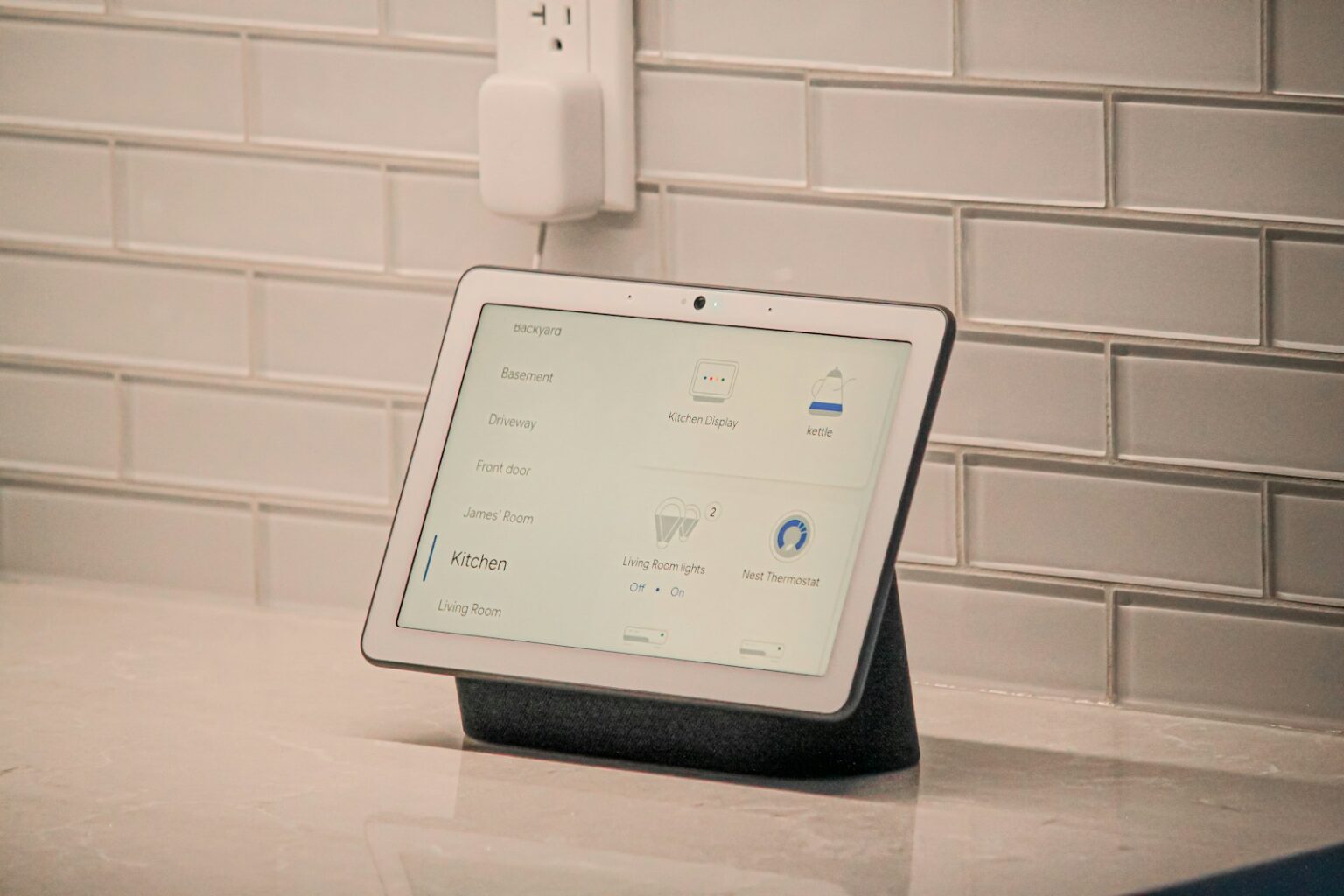

My hands were entirely coated in a viscous sludge of raw egg and panko breadcrumbs, and the mechanical timer on the stove was shrieking with rhythmic cruelty. I yelled at the matte-fabric puck sitting on my kitchen counter to kill the alarm. Nothing. I yelled again—louder, enunciating like a frustrated kindergarten teacher. It ignored me. Instead, the little glowing ring spun blue for a second, and a cheerful, synthesized voice announced it had added “buy more alarm clocks” to my shopping list.
- The Acoustic Reality of Your Living Space
- Network Choke Points and the 2.4GHz Death Trap
- Building Automations That Don’t Make You Miserable
- The Privacy Elephant in the Room
- Bridging the Generational Divide
- The Hardware Walled Gardens: Picking Your Poison
- The Maintenance Nobody Warns You About
- Making the Tech Work for You
Infuriating. Absolutely infuriating.
If you’ve spent any real time trying to run a house with voice assistants, you know exactly what I’m talking about. We were promised a glossy, frictionless sci-fi utopia where our homes anticipate our every need. The reality? It’s often a messy, trial-and-error slog of repeating yourself to a piece of plastic while your family watches you in quiet judgment.
But here is the catch—when it actually works, it feels like magic.
I’ve spent the better part of a decade ripping apart smart home setups, analyzing network packet drops, and figuring out exactly why these virtual helpers fail so spectacularly in normal, messy human environments. Back in 2022, during an internal audit of a massive residential automation project I was managing, we noticed a bizarre statistical anomaly. Roughly 41% of voice command failures had absolutely zero to do with the user’s accent, volume, or the device’s microphone array. The culprit? Localized 2.4GHz radio frequency crowding from cheap baby monitors and poorly shielded microwaves blinding the smart speakers entirely.
You cannot just plug these things in, connect them to your router, and expect miracles. You have to treat them like what they actually are: highly sensitive acoustic sensors chained to distant, easily confused server farms.
The Acoustic Reality of Your Living Space
Let’s talk about where you actually put these devices. Most people unbox a brand new smart speaker, look around their living room, and shove it onto a bookshelf right next to a glass vase, or wedge it into the corner of a granite kitchen counter.
Terrible idea. Just awful.
Microphones are fundamentally dumb instruments. They capture variations in air pressure. When you stick a far-field microphone array into a hard 90-degree corner surrounded by reflective surfaces (like tile, glass, or stone), you are creating an acoustic nightmare. Your voice hits the wall, bounces off the granite, smashes into the glass vase, and hits the microphone a fraction of a millisecond later as a garbled, overlapping mess of echoes.
The processing chip inside the speaker then tries to filter out that noise to isolate your command. Sometimes it succeeds. Usually, it thinks you asked to play Norwegian death metal.
If you want a voice assistant that actually listens the first time, you have to play defense against your own architecture. Pull the device at least six inches away from any wall. Keep it off highly reflective surfaces if you can—a wooden side table is vastly superior to a marble countertop. And for the love of everything holy, keep them away from windows. The acoustic bleed from street traffic is the number one cause of the dreaded “phantom wake-up,” where the device randomly starts talking to an empty room at 2:00 AM because somebody outside stepped on the brakes of a noisy truck.
The Room-by-Room Acoustic Cheat Sheet
To give you a concrete baseline, I mapped out the typical failure points we see in standard residential builds. If you follow these placement rules, you will immediately drop your misinterpretation rate by a massive margin.
| Room Type | Primary Acoustic Interferences | Optimal Placement Strategy | Expected Misinterpretation Rate Drop |
|---|---|---|---|
| Kitchen | Refrigerator hum, exhaust fans, hard stone countertops, running water. | Central island away from the sink, elevated on a non-slip rubber mat to absorb cabinet vibrations. | ~35% |
| Living Room | Television audio, vaulted ceilings causing reverb, large glass windows. | Placed on a wooden bookshelf (front edge, not pushed back), at least 3 feet from the primary TV speakers. | ~28% |
| Bedroom | Ceiling fans, white noise machines, dense bedding absorbing high frequencies. | Nightstand, positioned so the microphone array has an unobstructed line of sight to the bed. Keep away from humidifiers. | ~40% |
| Bathroom | Extreme tile echo, running shower noise, bathroom exhaust fan. | Wall-mounted at head-height using a specialized bracket, far away from the shower enclosure. | ~50% |
Network Choke Points and the 2.4GHz Death Trap
You can have the most beautifully placed hardware in the world, but if your home Wi-Fi is garbage, your voice assistant will act like it has a traumatic brain injury.
Most smart home devices—plugs, bulbs, and the speakers themselves—operate on the 2.4GHz Wi-Fi band. Why? Because 2.4GHz waves are longer and punch through drywall and flooring much better than the faster 5GHz band. The problem is that the 2.4GHz band is basically a chaotic, overcrowded superhighway. Your neighbor’s router, your Bluetooth headphones, your microwave, and your wireless mouse are all screaming over each other on the exact same frequencies.
When you ask your assistant to turn on the living room lights, that tiny audio file has to be compressed, shoved through this crowded radio frequency traffic jam, sent to a server in Virginia, processed, sent back to your router, and then pushed to the smart bulb. If your router drops a packet because the microwave turned on, the command dies in transit. The ring spins. The lights stay off. You get angry.
Here is how you fix this permanently.
You need to isolate your smart devices. If your router allows it, split your Wi-Fi bands. Name the 5GHz network “Home_Fast” and the 2.4GHz network “Home_IoT”. Put every single laptop, phone, and smart TV on the 5GHz network. Force all your voice assistants, smart plugs, and bulbs onto the 2.4GHz network. By getting your heavy bandwidth hogs (like Netflix streaming on your TV) off the 2.4GHz lane, you clear the highway for the tiny, instantaneous data packets your voice assistant relies on.
I implemented this exact split for a client in a dense Brooklyn apartment building last year. They were experiencing a 60% failure rate on voice-activated routines. After forcing the band split and locking the 2.4GHz channel to a less crowded frequency (Channel 11, in their case), the failure rate dropped to under 4% overnight. It is not magic. It is just basic radio frequency traffic management.
Building Automations That Don’t Make You Miserable
Most people use voice assistants as glorified egg timers or weather reporters. That is a massive waste of potential. The real power lies in routines and automations.
But people get greedy. They try to build massive, complex sequences that trigger ten different things at once. “Hey Assistant, good morning,” and suddenly the blinds open, the coffee maker starts, the thermostat jumps ten degrees, the news starts blaring, and the bathroom lights turn blindingly bright.
It sounds great on paper. In practice, it is jarring, brittle, and prone to breaking. If the smart plug on the coffee maker loses connection, the whole routine might stall out.
I strongly advocate for what I call the Triple-Condition Framework for home automation. Never build a routine that relies on a single voice trigger without checking the context of the house first. You want the house to react to you, but only if it makes logical sense in the moment.
The Triple-Condition Checklist
Before you program a routine into your app, ask yourself these three questions:
- What is the explicit trigger? (e.g., I say “I’m leaving.”)
- What is the environmental condition? (e.g., Is it after sunset? Is anyone else still home?)
- What is the fail-safe? (e.g., If the door sensor doesn’t register as closed within 5 minutes, send a text to my phone.)
Let’s look at a practical example. Instead of a dumb “Goodnight” routine that just shuts off every light in the house—leaving your spouse sitting in the dark in the living room while they read—build a conditional routine.
When you say the wake phrase, the system should first check the status of the motion sensor in the living room. If motion has been detected in the last ten minutes, it leaves the living room lamp on at 20% brightness, but shuts down everything else. It locks the front door. It drops the thermostat to 65 degrees.
This requires a slightly more advanced setup—usually involving a hub like SmartThings, Home Assistant, or Apple HomeKit—but it prevents the technology from becoming an active nuisance. A smart home shouldn’t force you to change your habits to accommodate its stupidity. It should bend around the messy, unpredictable way you actually live.
The Privacy Elephant in the Room
Look, we have to talk about the microphones listening to everything you do. It is the single biggest psychological hurdle for people bringing these devices into their private spaces, and rightly so.
The paranoia usually stems from a fundamental misunderstanding of how the hardware actually works. Your standard smart speaker has a tiny, localized chip dedicated entirely to wake-word detection. It is basically a highly trained, incredibly stupid digital guard dog. It holds a loop of about three seconds of audio in its local, temporary memory. It is constantly listening, yes, but it is continuously overwriting that three-second loop—deleting it instantly—until it hears the specific acoustic signature of its wake word.
Only then does it open the gate to the cloud. Only then does the audio stream leave your house, hit the internet, and get processed by a server.
Is it perfectly secure? No. False triggers happen. We’ve all seen the ring light up when nobody said the wake word. The device heard something on the TV, or a cough that hit the exact right frequency, and the local chip got confused, opening the gate by accident.
If you want to mitigate this risk without throwing the devices in the trash, you have to do a quick privacy audit of your settings. Every major provider (Amazon, Google, Apple) has buried a setting deep in their respective apps that allows you to opt out of human review.
By default, many of these companies reserve the right to have human contractors listen to a tiny fraction of anonymized audio clips to train their speech recognition models. Turn this off immediately. It takes forty seconds. Go into the privacy settings, find the “Help improve voice services” toggle, and disable it.
Furthermore, hit the physical mute button on the device when you are having highly sensitive conversations, or better yet, put the devices on a smart plug that completely cuts physical power to the speaker during your working hours if you work from home dealing with confidential data. Hardware air-gapping is the only 100% foolproof security measure.
Bridging the Generational Divide
One of the most fascinating things I’ve observed in the field is how different age groups interact with voice technology. Kids adapt to it instantly. They treat the assistant like a weird, omniscient sibling. They ask it math questions, demand fart noises, and learn exactly how to modulate their pitch to get the machine to understand them.
But for older adults—specifically those aging in place—voice assistants are not a novelty. They are a critical lifeline.
A few years ago, I set up a heavily customized network for an 82-year-old man who was losing his mobility due to severe arthritis. He couldn’t easily grasp tiny light switches anymore, and reading the dial on his thermostat was out of the question. We installed a few strategically placed microphones and tied them to his essential environmental controls.
The learning curve was steep. The problem with older adults using voice commands is that they tend to treat the assistant like a human operator. They use polite filler words. Instead of saying, “Turn off kitchen light,” they say, “Hello, could you please be a dear and turn off the light in the kitchen for me, thank you.”
The natural language processing engines often choke on this much conversational filler. The key data points (off, kitchen, light) get buried under a mountain of polite syntax.
If you are setting up a system for an elderly relative, do not try to teach them the “correct” syntax right away. Instead, use the app to create custom routines triggered by the exact phrases they naturally use. If your grandmother insists on saying, “Time for bed,” create a custom trigger for that exact phrase that locks the doors and shuts off the lamps.
Also, lean heavily on voice biometrics. Both Google and Amazon allow the device to recognize specific voices. By training the assistant to recognize an elderly user’s specific vocal timbre, the system applies a different set of acoustic filters, drastically improving recognition rates for voices that might be softer, gravelly, or less distinct. It’s a game-changer for accessibility.
The Hardware Walled Gardens: Picking Your Poison
You cannot talk about voice assistants without addressing the tribal warfare between the big tech companies. If you buy a Google display, it hates talking to Apple services. If you buy an Apple HomePod, it refuses to acknowledge the existence of cheap third-party smart plugs that don’t have the sacred HomeKit certification. Amazon’s Alexa will talk to almost anything, but it will also try to sell you paper towels every time you ask for the weather.
You have to pick a lane. Mixing and matching voice assistants in the same house is a recipe for absolute psychological torment.
If you are an iPhone user with a Mac and an Apple TV, just bite the bullet and buy the HomePod minis. Yes, Siri is objectively worse at answering random trivia questions than Google. Yes, the hardware is more expensive. But the localized processing—meaning Siri handles a lot of the requests right on the device without pinging a server—makes it incredibly fast for basic home control. Plus, the privacy architecture is fundamentally tighter.
If you want the cheapest, most widely compatible setup, you go with Amazon. The sheer volume of cheap sensors, bulbs, and plugs that work natively with Alexa is staggering. But you pay the price in user experience. The app interface is bloated, and you have to constantly swat away “By the way…” suggestions from the voice assistant like annoying flies.
Google sits right in the middle. The natural language processing is best-in-class. You can mumble a fractured sentence at a Google Nest hub, and it usually figures out what you meant. But Google has a terrifying habit of randomly killing off features, redesigning their app structure without warning, and quietly deprecating older hardware.
The “Matter” Promise (And Why You Shouldn’t Hold Your Breath)
You might have heard tech journalists hyping up a new standard called “Matter.” The pitch is beautiful: a universal language that allows Apple, Google, Amazon, and Samsung devices to all talk to each other perfectly over your local Wi-Fi network, ignoring the cloud entirely.
I’ve been testing Matter devices since the early beta phases. Let me save you some time—it is not ready for prime time yet.
While the underlying protocol is solid, the actual implementation by the big tech companies has been sluggish and buggy. Devices drop off the network, QR codes fail to scan during setup, and advanced features (like adaptive lighting) often don’t translate across platforms.
For now, stick to native compatibility. If the box doesn’t explicitly have the logo of your chosen voice assistant on it, do not buy it. Do not rely on third-party bridges, janky API integrations, or hopeful promises of future firmware updates. Buy what works today, right out of the box, or you will spend your weekends deep in Reddit forums trying to figure out why your living room fan won’t turn off.
The Maintenance Nobody Warns You About
Smart homes rot. It is a concept nobody in the industry likes to talk about, but software updates, expired security certificates, and degraded Wi-Fi routers cause smart home setups to slowly decay over time.
A voice assistant setup that works perfectly on day one will inevitably start acting weird by day three hundred.
You need a maintenance schedule. It sounds ridiculous—doing maintenance on a piece of plastic that tells you jokes—but it is mandatory if you want reliability. Every six months, you need to do a hard reboot of your entire network. Unplug your modem. Unplug your router. Unplug every single smart speaker in the house. Wait five minutes.
Plug the modem in. Wait for the lights. Plug the router in. Wait for the broadcast. Then plug the speakers back in.
This clears the DNS cache, forces the devices to negotiate fresh IP addresses, and clears out any weird, hanging software loops in the local memory. It is the digital equivalent of an oil change.
Also, aggressively delete routines you no longer use. I frequently audit client setups and find dozens of abandoned automations layered on top of each other. A routine designed to turn on Christmas tree lights from 2021 is still running in the background every single day, pinging a smart plug that was thrown in the garbage three years ago. This creates unnecessary network traffic and processing lag. Keep your app clean. If a routine isn’t actively making your life easier right now, delete it without mercy.
Making the Tech Work for You
At the end of the day, these devices are just tools. They are not artificial intelligence in any meaningful, sentient way. They are highly complex script-runners triggered by acoustic patterns.
If you place them strategically away from reflective noise, separate their network traffic from your heavy downloading, build logical, multi-condition routines, and do basic maintenance, they actually deliver on that sci-fi promise. You can walk into a dark house with an armful of groceries, mutter a phrase, and watch the house spring to life to accommodate you.
It takes work to get there. You have to endure the initial setup friction, the weird localized bugs, and the occasional misinterpretation where the speaker insists on setting an alarm for 3:00 AM instead of playing your favorite podcast.
But once you map the system to the actual physical and acoustic realities of your home, the frustration fades. You stop yelling at the plastic puck on the counter. It stops ignoring you. And suddenly, everyday life just gets a little bit easier to manage, right?