
WhatsApp links your account to the mobile number you register so people can send messages, place calls, and add you to groups without usernames or extra logins.
- How to find your account line on mobile and desktop
- Understanding your WhatsApp number and privacy
- Share your WhatsApp number safely and professionally
- Conclusion
- FAQ
- What is my WhatsApp number?
- How do I find my number on an iPhone?
- How do I check my number on Android?
- Where does my account number appear on desktop or Mac?
- What should I do if I changed SIMs or phone numbers?
- Why can’t I see a number or verify my account?
- Why does the app use my phone for messaging, calls, and group chats?
- How does privacy work—are my chats and calls secure?
- Who can see my contact and status information?
- How can I share my number safely and professionally?
The app is a free messaging service used by over two billion people worldwide. It supports high-quality voice and video calls, group chats, Status posts that disappear after 24 hours, and real-time location sharing with easy controls.
Knowing which line you registered helps you share accurate contact information with friends and family, avoid confusion when you have multiple SIMs, and make sure desktop sync shows the active account.
In this guide, we’ll show where to check your registered details on iPhone, Android, and desktop. We’ll also offer simple privacy tips and practical ways to share your contact so colleagues and loved ones can reach you without hassle.
How to find your account line on mobile and desktop
You can check which line is linked to your account in just a few taps or clicks. Below are brief steps for iPhone, Android, and desktop so you confirm the registered contact and keep chats synced.
On iPhone
Open the app, tap Settings at the bottom right, then choose Account. Tap your profile to view the registered phone and update it if needed. Use the Change Number flow to migrate chats.
On Android
Open the app, tap the three dots › Settings, then select your profile name or photo to see profile info. If you switched SIMs or carriers, update and re-verify from this screen.
On desktop and Mac
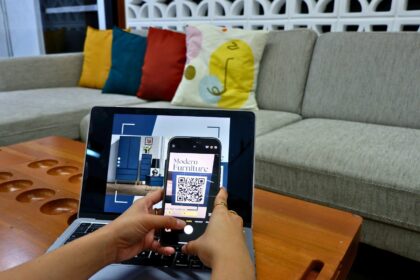
After you sync chats to a Mac or Windows desktop app, open Settings › Profile to confirm the active line tied to the session. If the details look off, unlink and relink via Linked Devices and scan the QR code again.
Troubleshooting and tips
- Keep the device with the registered line powered on so you can receive SMS or voice verification.
- Free up storage space before updating or verifying to avoid install errors.
- For dual SIMs, label each SIM and sign in with the one intended for calls, video, and messaging.
- After confirming, send a quick hello to a trusted contact to ensure messages and calls route correctly.
| Device | Where to look | Quick action |
|---|---|---|
| iPhone | Settings › Account › Profile | View or Change Number, re-verify |
| Android | Menu › Settings › Profile | Update profile info, re-verify |
| Mac / Desktop | Linked Devices › Profile pane | Confirm session line, relink if incorrect |
Understanding your WhatsApp number and privacy
Your registered contact acts as the account anchor, making it easy to find and connect with people you know.
Why the app uses your phone line
The platform ties your profile to a phone contact so you can skip usernames and start messages or calls quickly. This approach speeds discovery and makes group setup simple when colleagues or friends already have your details.
Privacy basics: encryption, visibility, and status
End-to-end encryption protects personal threads and group chats. Only participants can read texts or hear calls; the provider cannot access content.
You control who sees profile info and status posts. Status updates disappear after 24 hours and you can limit them to selected contacts.
- Live location sharing is opt-in and time-limited; stop sharing anytime.
- Review the privacy policy and security pages to see how your data is handled in transit.
- Use two-step verification and control who can add you to groups to protect visibility.
The developer notes that data is encrypted in transit and can be requested for deletion. Check settings now and then since practices may evolve under new policy changes.
Share your WhatsApp number safely and professionally
Build a shareable link so people can start a conversation in one tap. Use the click-to-chat format: https://wa.ms/[phone] or add a prefilled message with https://wa.ms/[phone]/?text=[text]. The phone value must include the full country code with no brackets, dashes, or leading zeros.
Keep links clear and controlled. Place them on your website, email signature, social bios, or a digital card. This makes communication smoother for friends, family, and clients without forcing them to save your contact first.
Quick best practices
- Create a short greeting for the prefilled text, and URL-encode it so it opens cleanly.
- Display your country code near the link to help people confirm the correct line.
- Share links sparingly in public posts and prefer your contact page to reduce unwanted pings and protect your data.
| Link type | Use case | Precautions |
|---|---|---|
| https://wa.ms/1234567890 | Quick contact from web or signature | Verify full international format before publishing |
| https://wa.ms/1234567890/?text=Hello | Client outreach with prefilled intro | URL-encode message; keep it brief and professional |
| Multiple links (support/sales) | Separate lines for teams or purposes | Label links clearly and update when lines change |
Conclusion
Confirming the line tied to your profile takes only a minute and prevents missed calls or mixed chats. Check Settings on iPhone or Android, then verify the same entry on desktop or Mac after linking your chats.
Use the Change Number flow if you switch carriers so messages, media, and chats move with your line. Share a wa.ms link for fast contact without forcing people to save your info.
Keep privacy in focus: review who can see profile details, limit group adds, and tune Status visibility. The developer issues regular updates to improve calls, video, and voice quality — so keep the app current.
Your personal messages and calls stay end-to-end encrypted, but be mindful of what data you share. For policy or detailed info, consult the in-app resources since practices may evolve.
In short: know which phone is active, use the tools that make contact easier, and adjust settings to keep friends and family connected in a simple, private way.
FAQ
What is my WhatsApp number?
Your account uses the phone tied to your profile. Open the app’s Settings and tap Account or Profile to see the phone listed there. If you registered with a SIM, that number is the one others will use to message or call you.
How do I find my number on an iPhone?
On iPhone, open Settings inside the app, go to Account, then Profile. Your phone appears next to your name. If you don’t see it, ensure the app has permission to access Contacts and that you completed verification when setting up the account.
How do I check my number on Android?
On Android, tap the three dots, choose Settings, then tap your profile. Your phone is listed under your name. If it’s blank, re-run verification from Settings › Account or reinstall the app and follow the registration steps.
Where does my account number appear on desktop or Mac?
When you link your phone to the desktop app or Web, your profile shows in the sidebar. Your phone displays in Profile info after syncing chats. If it doesn’t show, reconnect your device using the Link a Device option on the phone app.
What should I do if I changed SIMs or phone numbers?
Use the Change Number tool inside Settings › Account to migrate your profile, groups, and settings to the new phone. Notify close contacts and update business listings or link pages you use so people can reach the correct line.
Why can’t I see a number or verify my account?
Verification fails if the SMS or call doesn’t arrive, or if the wrong country code was entered. Check signal, confirm the correct country code, and try the call option. If problems persist, contact your carrier or consult the app’s help center for account recovery steps.
Why does the app use my phone for messaging, calls, and group chats?
The platform ties accounts to phones to map contacts, sync conversations, and reduce spam. Using a verified phone lets the service confirm identity and connect you with people in your address book who also use the app.
How does privacy work—are my chats and calls secure?
Messages, voice, and video calls are end-to-end encrypted, which means only participants can read or hear them. Your profile visibility, status updates, and last-seen can be limited in Settings › Privacy so you control who sees that information.
Who can see my contact and status information?
You choose who sees your profile photo, about info, last seen, and status: Everyone, My Contacts, or Nobody. Group members see each other’s numbers by design, so join groups carefully and adjust privacy settings to limit visibility.
How can I share my number safely and professionally?
Use a short wa.ms link (wa.ms/yourphonenumber) to let people message you without saving your contact. Share links on business cards, email signatures, or social profiles. Limit exposure by using a business line or dedicated contact to separate personal and professional chats.