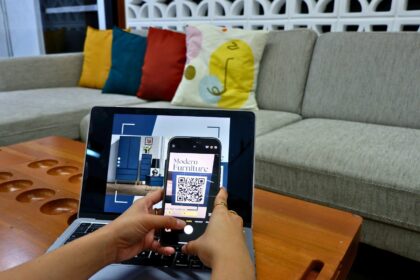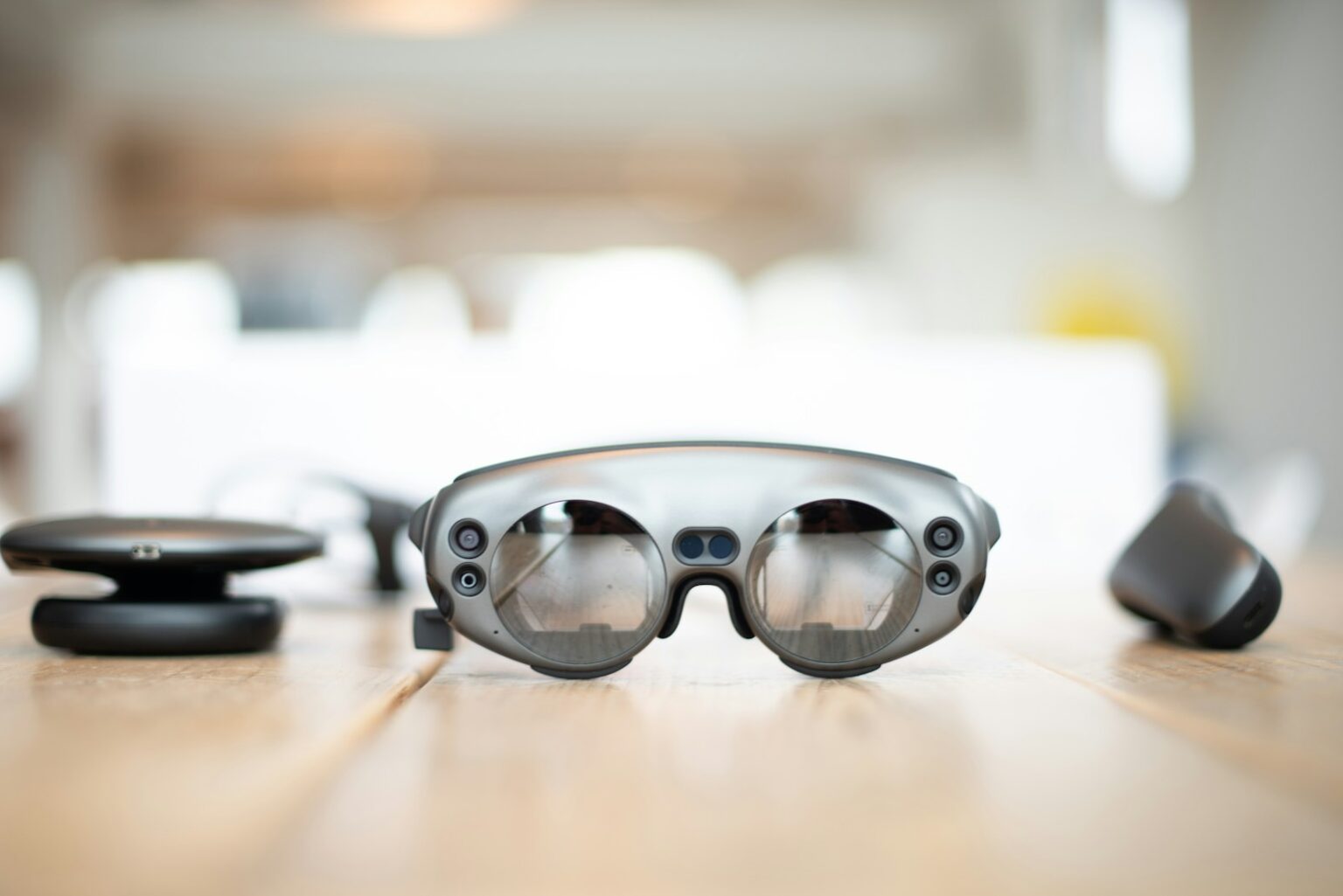

This blog opens the door to a near future where digital layers meet the physical world for clearer, faster financial work.
- Future-ready overview: how AR and VR are reshaping accounting in the United States
- What augmented reality and virtual reality mean for the accounting field
- Augmented Reality in Accounting: core use cases that improve day-to-day processes
- Immersive 3D financial data visualization for clearer insights
- Virtual collaboration: meetings, shared financial dashboards, and team workflows
- Client presentations that increase clarity, trust, and engagement
- Remote auditing and document review with real-time annotations
- Automation, accuracy, and efficiency gains that free accountants for higher-value work
- Training and development: simulations that accelerate skills in auditing, tax, and reporting
- Decision-making and strategy: visualize scenarios, risks, and outcomes before acting
- Adoption challenges and considerations for U.S. firms
- The future of reality accounting: AI integration, expanding use cases, and broader adoption
- Smarter forecasting and automated review
- From virtual headquarters to real-time collaboration
- Emerging areas and immersive client experiences
- Conclusion
- FAQ
- What does augmented and virtual tech mean for accounting firms?
- How can firms use 3D financial visualization day-to-day?
- Are virtual meetings with shared dashboards better than video calls?
- Can this technology speed up audits and document reviews?
- Will these tools replace routine accounting tasks?
- How do these systems reduce errors?
- What hardware and software do firms need to start?
- What about data security and compliance risks?
- How should U.S. firms manage adoption and staff training?
- What cost savings can firms expect?
- How does AI enhance these experiences?
- Which accounting tasks benefit most from immersive training?
- Are there emerging use cases beyond core accounting?
- How should firms choose vendors and platforms?
- What are the main barriers to wider adoption?
The post shows how augmented reality and linked technology can move accounting beyond spreadsheets to immersive views that reveal patterns in financial data. Firms and accountants will use overlays and 3D visualization for cleaner reports, real-time annotations, and safer remote reviews.
Readers will get practical use cases, training tips, automation ideas, and a roadmap so professionals and firms in the United States can plan for 2025. Expect sections on tools, decision support, and how to deploy new workflows with confidence.
Why act now? These tools are maturing quickly, promising gains in efficiency, collaboration, and client clarity. Day-to-day work will shift: fewer manual steps, richer insights, and more time for advisory tasks that drive business outcomes.
Overall, this introduction frames a friendly, practical guide for accountants, business leaders, and firms seeking better transparency, trust, and actionable information.
Future-ready overview: how AR and VR are reshaping accounting in the United States
U.S. finance teams are shifting from flat reports to immersive views that make complex numbers immediate and actionable.
Immersive 3D visualization and virtual collaboration let teams explore financial dashboards together, even when members are remote. Firms can host shared rooms with live overlays that highlight exceptions and compliance flags on the spot.
Training and webinars use interactive simulations to sharpen auditing, tax, and reporting skills without costly travel. Early adopters report faster reviews, fewer iterations, and improved client engagement when executives can walk through revenue and margin scenarios.
Adoption does require device investment, software integration, and structured staff development. But the operational upside is clear: secure remote workflows, consolidated data views, and faster decision cycles that save time and cost.
- Consolidate financial data into shared virtual rooms for distributed teams.
- Annotate live records to speed audits and reduce back-and-forths.
- Use simulated scenarios to develop staff skills and test processes.
| Feature | Benefits | U.S. Considerations |
|---|---|---|
| 3D financial dashboards | Clear insights, faster planning | Integration with ERPs, data governance |
| Remote auditing tools | Reduced travel, real-time annotations | Security, evidence retention policies |
| Simulation-based training | Cost-effective skill development | Curriculum design, device access |
Next sections will define core terms, list tools, and show concrete use cases that help firms turn these trends into measurable value.
What augmented reality and virtual reality mean for the accounting field
Hands-free overlays and immersive labs change everyday finance work. Wearables and mobile devices place live metrics and annotations next to paper records or screens. Fully simulated environments let teams rehearse audits and complex forecasts without risk.
Definitions and where each fits
Overlay systems layer graphics, sound, and video onto a real view. They excel at source checks, receipt scanning, and real-time prompts that reduce manual entry.
Simulated environments recreate offices or ledgers for deep-dive training and scenario walkthroughs. They work best for onboarding and team rehearsals of high-stakes tasks.
Essential hardware and software
- Hardware: headsets and smart glasses for hands-free work, plus smartphones and tablets for broad access.
- Software: modern accounting platforms that integrate 3D overlays, drill-downs, and secure APIs to show ledgers and KPIs in context.
- High-impact example: automatic receipt scanning that maps entries to GL accounts, with on-screen prompts to fix exceptions immediately.
Spatial mapping also speeds audits by guiding sampling, inventory checks, and asset inspections. Start small: pilot mobile overlays, measure ROI, then expand to headsets and full simulated labs.
Learn more about practical deployments at augmented reality accounting.
Augmented Reality in Accounting: core use cases that improve day-to-day processes
Immersive overlays turn flat reports into three-dimensional scenes that make trends and outliers obvious at a glance.
Immersive 3D financial data visualization for clearer insights
Visualize financial statements around the user so stakeholders spot variances and anomalies without scrolling long spreadsheets.
Three-dimensional dashboards show trends, drill-downs, and relationships that are easy to scan. This reduces time spent hunting for causes and improves decision speed.
Virtual collaboration: meetings, shared financial dashboards, and team workflows
Shared models let a team manipulate the same dataset at once. Users annotate assumptions, lock a view, and keep a single source of truth.
Client presentations that increase clarity, trust, and engagement
Clients can “walk through” revenue bridges, cash cycles, and forecast drivers. This hands-on experience builds confidence and shortens review cycles.
Remote auditing and document review with real-time annotations
Reviewers overlay policies and prior-period benchmarks on documents, tag exceptions, and add voice notes. Secure overlays link samples to supporting evidence and speed sign-off.
Example: a controller compares invoices against vendor terms and prior months. The system flags discrepancies for the audit team instantly.
| Use case | Benefit | Practical note (U.S.) |
|---|---|---|
| 3D dashboards | Faster insight, clearer patterns | Integrate with ERP and reporting tools |
| Shared dashboards | Improved collaboration and fewer meetings | Set version control and access rights |
| Remote review | Reduced travel, quicker evidence collection | Maintain audit trails and secure documents |
Automation, accuracy, and efficiency gains that free accountants for higher-value work
Automating repetitive ledger work and report builds frees teams to focus on strategy and client advice.
Offloading routine tasks like invoice capture, classification, and scheduled reporting reduces manual hours. Software that pairs capture tools with AI moves data from source to ledger with fewer handoffs.
Real-time overlays create a live control layer on documents. They highlight mismatches in amounts, dates, or terms and cut downstream errors.
How integrations and checks change daily work
Integrated systems trigger verification as data flows from ERPs and bank feeds. That makes exception handling proactive rather than reactive.
Efficiency gains show up as faster close cycles, fewer late adjustments, and less travel for on-site reviews. Time saved is reinvested in forecasting, margin projects, and client strategy.
| Benefit | What it replaces | Practical U.S. impact |
|---|---|---|
| Faster cycle times | Manual posting and reconciliations | Shorter month-end and lower overtime costs |
| Higher accuracy | Paper checks and late error discovery | Fewer audit adjustments and clearer compliance evidence |
| Lower operational cost | Travel and repeated reviews | Reduced travel budget and less rework |
| Continuous monitoring | Periodic, manual sampling | Visible controls and faster risk detection |
Culture shifts follow when augmented reality accounting tools make controls visible during daily workflows. Teams adopt continuous monitoring habits and focus on high-value advisory work.
Training and development: simulations that accelerate skills in auditing, tax, and reporting
Hands-on simulations let learners practice full audit cycles in a safe, repeatable virtual lab. These modules mirror planning, sampling, walkthroughs, and evidence testing so trainees build confidence before live engagements.
Interactive scenario-based learning uses narrated workflows and just-in-time prompts to guide users through tax steps and complex compliance checks. That reduces the learning curve and lowers error rates for professionals and students alike.
Onboarding with realistic practice
New hires can rehearse firm methods on realistic documents and transactions. This hands-on environment boosts retention and gives immediate feedback on judgment calls.
- End-to-end audit simulations recreate planning, sampling, testing, and documentation.
- Narrated prompts guide tax flows and highlight common pitfalls.
- Self-paced modules mix micro-lessons with capstone scenarios for flexible learning.
Firm-level benefits include consistent development paths and standardized training across distributed teams. Mobile-first deployments make the experience accessible so staff train on their schedule without losing real-world context.
For practical guidance on secure deployments and standards, see this resource on controls and readiness: security and deployment advice.
Decision-making and strategy: visualize scenarios, risks, and outcomes before acting
Teams can preview multiple pathways for growth by walking through layered forecasts that reveal trade-offs.
Forecasts you can walk through: Interactive scenario planning lets teams test alternative revenue, cost, and cash projections. Users step through best, base, and worst cases and see downstream impacts on margins and liquidity immediately.
Real-time overlays bring current KPIs, variances, and constraints into boardroom talks so decisions match present conditions. These views improve the quality of dialogue with a client or executive and speed consensus.
How this supports better outcomes
- Risk thresholds appear on documents and models so reviewers spot control gaps fast.
- Spatial comparisons let teams place trends side by side to find inflection points and seasonality.
- Stakeholders can tweak assumptions live, test sensitivity, and record agreed actions for accountability.
| Capability | Benefit | Use note (U.S.) |
|---|---|---|
| Immersive scenario rooms | Faster consensus on forecasts | Aligns finance and operations for execution |
| Live KPI overlays | Decisions reflect current data | Supports audit trails and compliance checks |
| Recorded decision logs | Clear accountability and replayable rationale | Useful for board reviews and client reports |
To explore practical deployment and planning, see how AR and VR will impact.
Adoption challenges and considerations for U.S. firms
Bringing layered visual tools into finance teams calls for budgeted devices, targeted training, and tight governance.
Technological barriers: Outline capital planning for devices such as smart glasses and tablets, plus software integration costs. Check compatibility with existing accounting systems and factor in device management and patch cycles.
Data security and compliance
Protecting sensitive information must be a priority. Use encryption, role-based access, and immutable audit trails when overlaying confidential documents or dashboard feeds.
Map new workflows to U.S. regulatory requirements and internal controls so compliance does not create documentation gaps.
Change management and staff readiness
Train teams with structured curricula and certifications so professionals use features confidently. Appoint champions, run pilots, and measure success with clear metrics.
- Define governance: admin roles, content standards, and retention policies.
- Perform vendor due diligence: update cadence, device support, and incident response.
- Provide ongoing support so staff resolve issues fast and momentum grows.
| Area | Key action | U.S. impact |
|---|---|---|
| Capital planning | Budget devices, integration, and MDM | Predictable TCO and faster rollouts |
| Security | Encryption, access controls, audit logs | Stronger compliance and lower breach risk |
| Change management | Pilots, champions, training paths | Higher adoption and measurable ROI |
The future of reality accounting: AI integration, expanding use cases, and broader adoption
Machine learning tied to visual layers can triage tasks, freeing teams to focus on strategy and exceptions. Embedded AI models forecast cash flows, detect anomalies, and surface the highest-risk items for reviewers. These features speed review cycles and reduce manual checks.
AI + AR for predictive analytics and smarter automation
Smarter forecasting and automated review
Models on visual surfaces predict working capital needs and flag unusual patterns in transaction data. Teams get prioritized worklists and suggested explanations so they act faster.
From virtual headquarters to real-time collaboration
Persistent virtual spaces act as shared hubs where calendars, workpapers, and action items stay aligned. Remote staff join the same environment to review ledgers and resolve issues live.
Emerging areas and immersive client experiences
Forensic tasks link disputed entries to supporting artifacts, speeding investigations and creating clear evidence trails. Driver-based modeling uses spatial views for variance analysis across units.
- Metaverse-style sessions help present restructurings and integration plans.
- Better ergonomics, security, and turnkey integrations speed adoption.
- Standardized toolkits and playbooks make pilots scalable across firms.
Trends show steady uptake across North America as platforms mature and deliver deeper insights into financial data for business decision-making.
Conclusion
Layered visual tools are making financial data tangible and easier to act on for busy finance teams.
These systems—combining augmented reality and virtual reality—bring 3D views, live collaboration, and interactive training to the accounting field.
Clients gain clearer presentations and shared models that build trust and speed executive decisions. Firms see fewer errors, shorter close cycles, and lighter workloads on routine tasks.
Start with a focused pilot: pick one high-impact process, define success metrics, and train a small team. Measure ROI, tighten security, and scale when results are clear.
As the technology matures, experiences will feel more natural and use cases will grow across business functions. Keep following this blog for tools, playbooks, and case examples that help professionals capture real benefits.
FAQ
What does augmented and virtual tech mean for accounting firms?
These tools layer digital information onto the physical world or create immersive environments that help accountants visualize financial data, run simulations, and collaborate across locations. Firms can present interactive dashboards, speed audits, and train staff with realistic scenarios, improving clarity and client trust.
How can firms use 3D financial visualization day-to-day?
Teams can turn spreadsheets into spatial charts to spot trends, anomalies, or correlations faster. Visual overlays make comparisons intuitive and support scenario planning, so partners and clients understand outcomes without sifting through dense reports.
Are virtual meetings with shared dashboards better than video calls?
Yes. Shared immersive workspaces let participants manipulate the same data in real time, annotate documents, and maintain context during discussions. This reduces miscommunication, speeds decision-making, and enhances remote collaboration.
Can this technology speed up audits and document reviews?
Absolutely. Remote auditing with real-time annotations and overlays streamlines document verification. Auditors can flag issues, request supporting files instantly, and complete walkthroughs without travel, lowering time and cost.
Will these tools replace routine accounting tasks?
They automate many repetitive tasks like data entry and report generation, but they don’t replace professional judgment. By offloading routine work, accountants focus on analysis, advisory services, and higher-value client work.
How do these systems reduce errors?
Real-time overlays and intelligent checks validate entries as you work, highlight inconsistencies, and suggest corrections. The result is fewer manual mistakes and stronger confidence in financial outputs.
What hardware and software do firms need to start?
Firms can begin with smartphones and tablets or invest in smart glasses for hands-free workflows. Key software includes secure visualization platforms, compatible accounting systems, and collaboration suites that support annotations and live data feeds.
What about data security and compliance risks?
Security is critical. Firms must ensure end-to-end encryption, strict access controls, and vendor compliance with standards like SOC 2 or ISO 27001. Proper governance protects sensitive financial information and meets regulatory obligations.
How should U.S. firms manage adoption and staff training?
Start small with pilot projects, involve stakeholders early, and provide scenario-based training. Use simulations for onboarding and continuous learning to build confidence and minimize resistance to new workflows.
What cost savings can firms expect?
Savings come from reduced travel, faster audits, fewer errors, and more efficient resource allocation. Over time, automation and streamlined processes lower operational costs and increase billable time for advisory work.
How does AI enhance these experiences?
AI adds predictive analytics, anomaly detection, and smarter automation. Combined with immersive visualization, it enables firms to forecast outcomes, flag risks, and surface insights faster for strategic decisions.
Which accounting tasks benefit most from immersive training?
Auditing, tax scenario analysis, and complex financial reporting benefit greatly. Simulated environments let learners practice real-world procedures, improving retention and readiness without risking client data.
Are there emerging use cases beyond core accounting?
Yes. Applications include forensic investigations, advanced modeling, and client experiences in virtual spaces. Firms can explore metaverse meeting rooms, cross-border collaboration, and specialized visual tools for niche services.
How should firms choose vendors and platforms?
Evaluate vendors on security certifications, integration with existing systems, user experience, and ongoing support. Look for demonstrated success in professional services and the ability to scale across teams.
What are the main barriers to wider adoption?
Common challenges include upfront investment, device selection, legacy system integration, and change management. Addressing these with pilot programs, clear ROI cases, and focused training eases the transition.